
The Hack Pack Toolkit Part 1
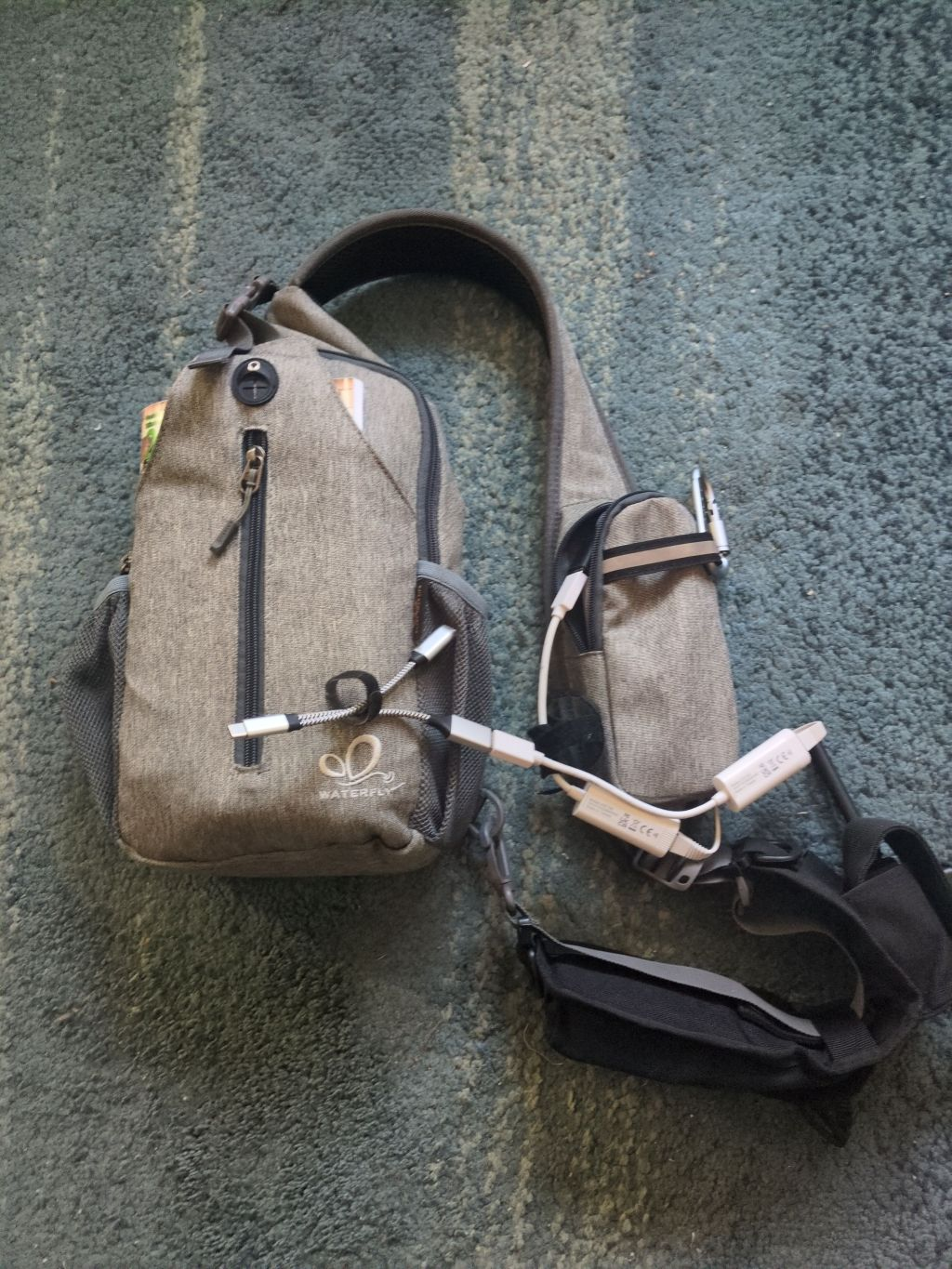
One of my favorite hobbies is collecting backpacks. I mean,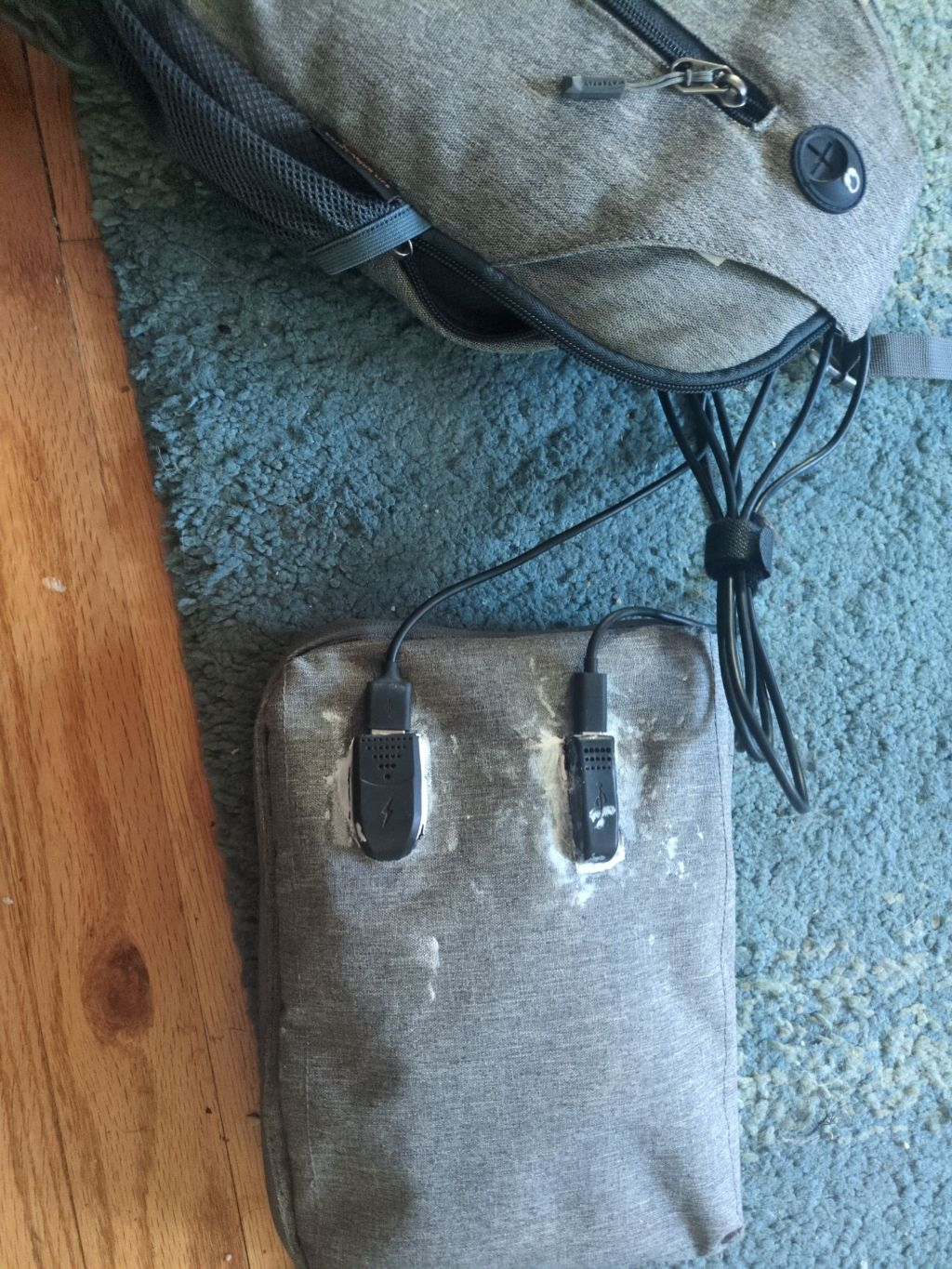 really I'm just looking for the perfect backpack for various systems. But one thing I always run into; some days I need certain tools, but other days I need different tools. Not generally a problem, just use two different backpacks. But... Sometimes I need different tools in addition to my daily bag. The point is I can't have 20 different bags with redundant loadouts and I really don't have the attention span to reconfigure my backpack every day. So what is a guy to do?
I started making easily swappable modules as a start. In the long run I want to actually design a backpack system but this will have to do for now. So the first module I have more or less finalized (at least, the internals; the actual bag will be later finalized) is the Hack Pack. Why the hack pack? Because I like to make my presence a curse on those around me.
What Is It?
The hack pack in a nutshell is my EDC of hacking gadgets and gizmos. Some of the tools are more standalone and quick; my flipper zero, the pwnagotchi, etc. These I often store in backpack pockets more than the pack itself. Additionally, it's various power sources and cables that I might need. But most importantly it's a computer. More correctly, it's a module I can plug in to my phone or another device with SSH and be able to remote into.
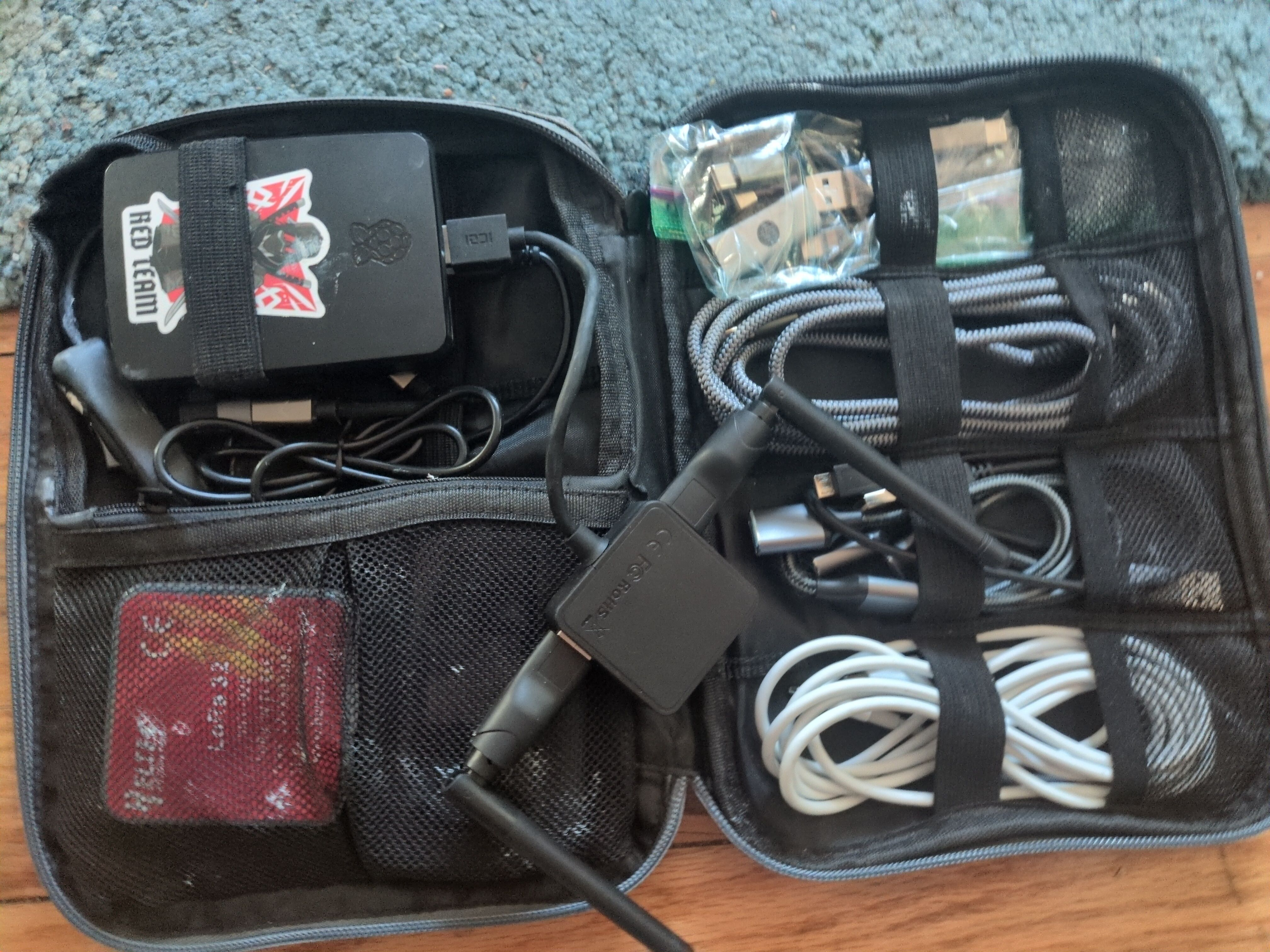
Lets go over the extra cables and such later. For now, I want to outline the standard processing rig. Mainly, it's a Raspberry Pi 5 with ParrotOS. One USB3 port connects to a USB-A port on the outside of the pack while the USB-C port connects to a USB-C cable on the pack. There is a very important reason for both: The raspi 5 is incredibly limited with supplying power AND being a USB client device. I wasn't ever able to reliably supply power separate from data. What I was able to do was connect via USB-C directly to my laptop and it was recognized as an ethernet device after enabling g_ether and setting up the proper networking service on usb0. But what happens when I plug in my phone's USB port? Of course... it didn't power on. That would be a crazy battery draw if it did. So I did the next logical thing and connected a Y cable (and multiple variations therein) to provide power. But try as I might, I couldn't get ANY off the shelf cable to power the pi and be recognized in gadget mode.
Enter The Frankencable!
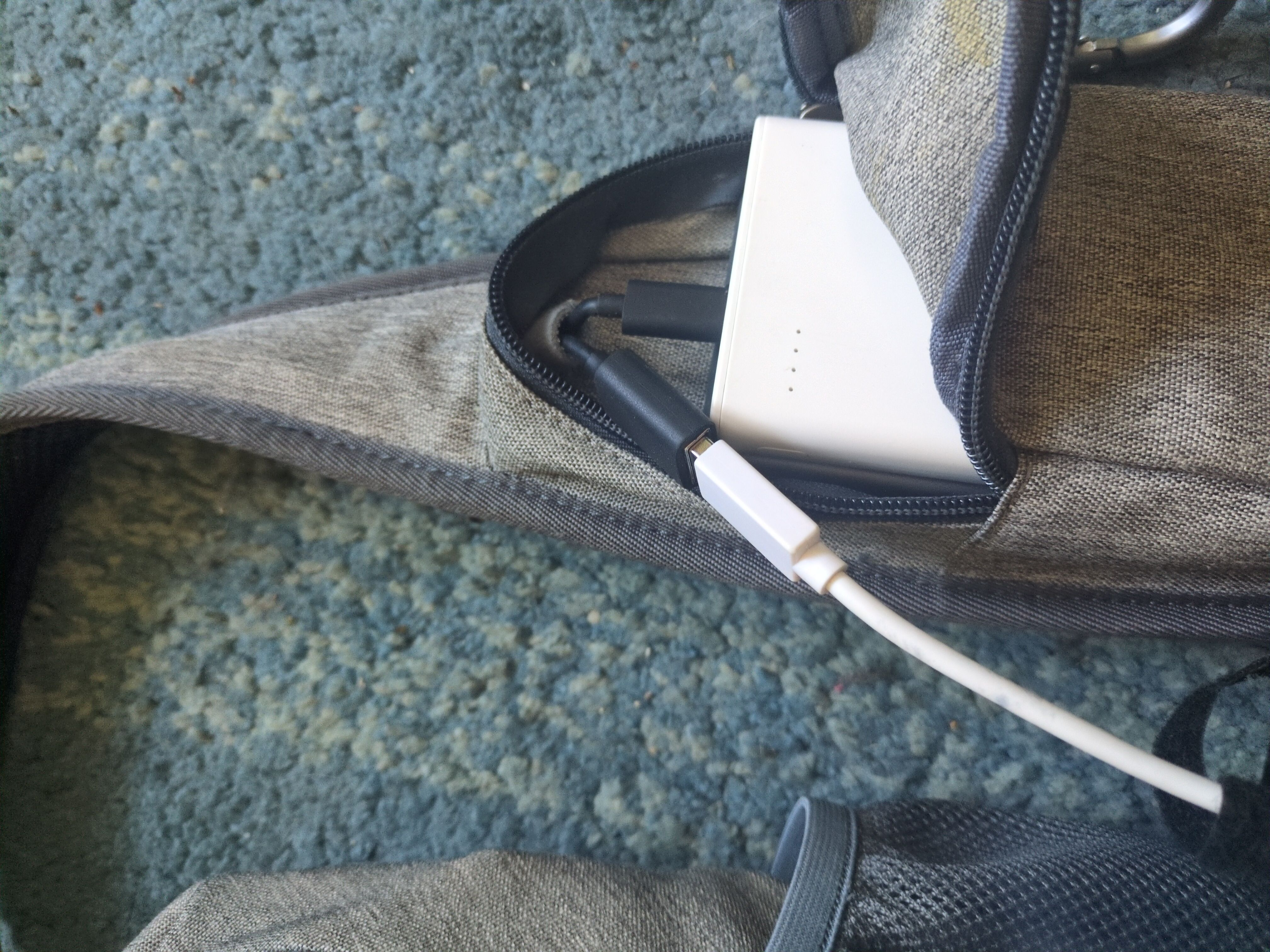
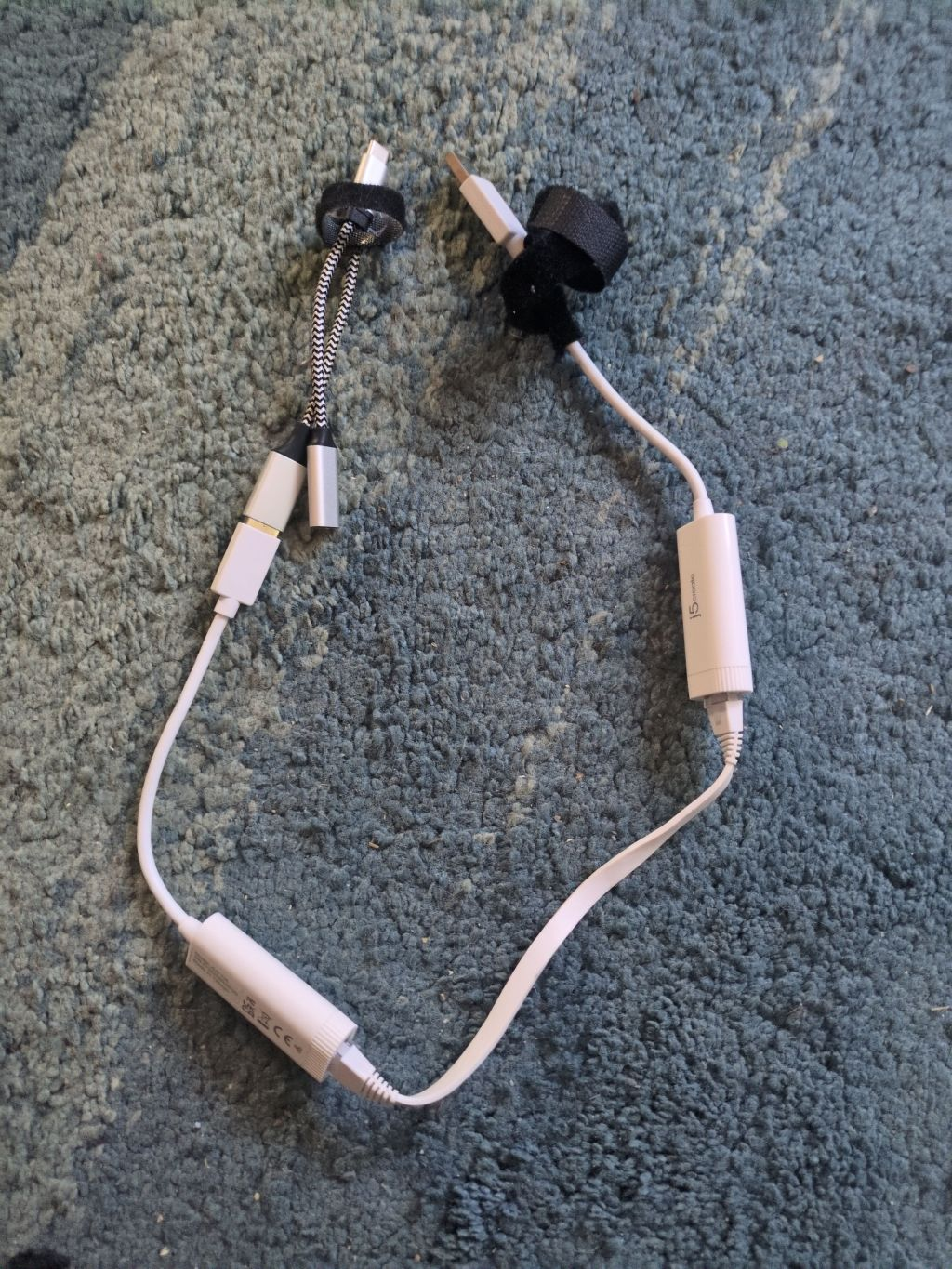
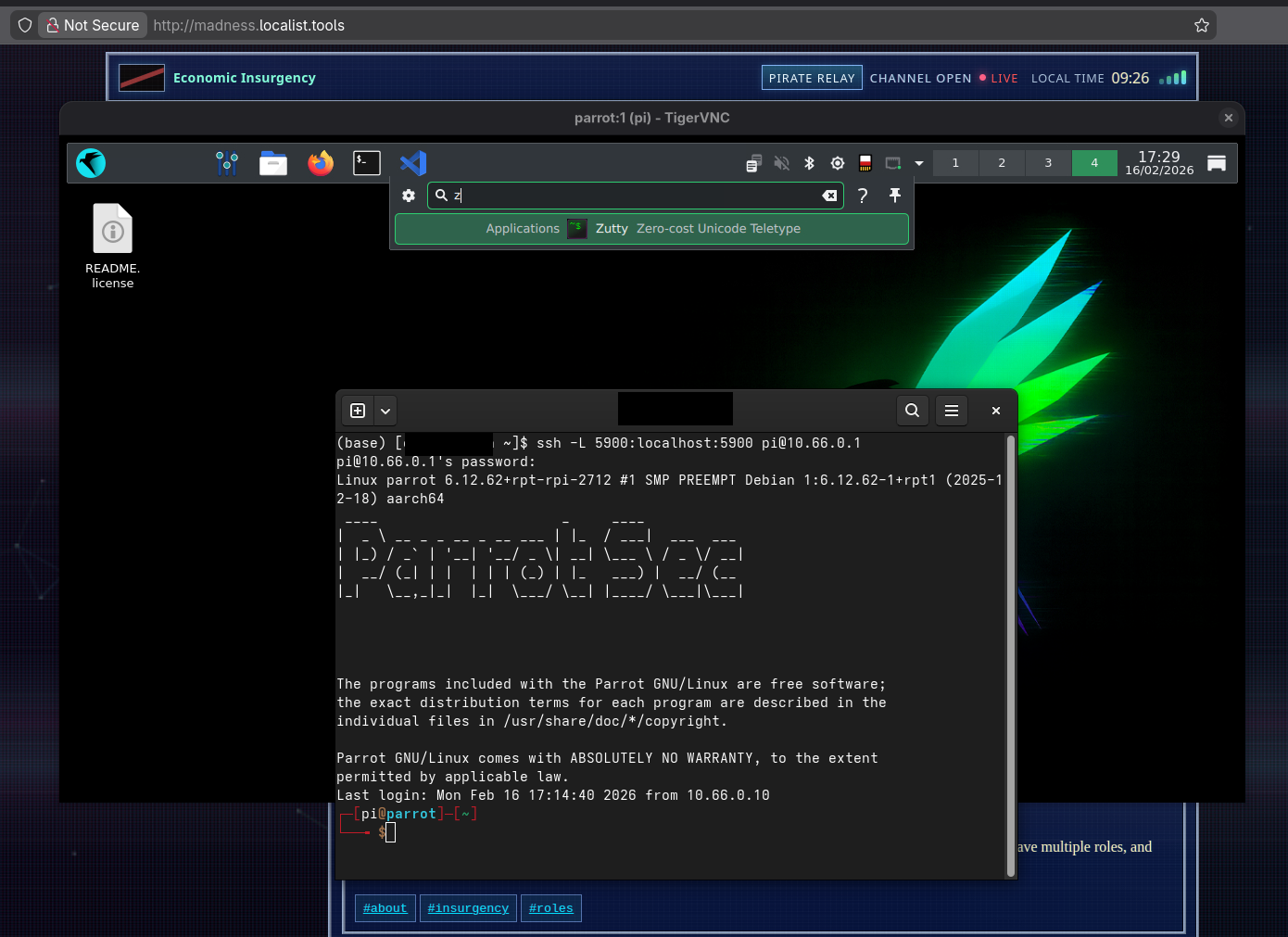
Ok, it's not that crazy of a cable but it feels ridiculous. It's two usb-a to ethernet adapters connected via ethernet. Plug one end into the pi's USB-A ports and the other end into your phone, tablet, or laptop, and with the proper network service on the pi you get an instant connection to your raspberry pi via SSH. And with that SSH, you can set up a simple ssh tunnel to connect to a VNC server listening only to localhost on the pi. The end result is a computer you can keep in your pocket (or backpack pocket) and connect to via nearly any electronic device that has ssh to control. In a later rendition, I want to actually see if I can build a board using two ethernet controller ICs and just USB-A cables on either side. But for now, I can just connect the USB-C cable to the PD port of the battery pack.
But Why Not Just Use Wifi or Bluetooth?
Yeah, that would have been way easier. But it's also way less secure. Wireless traffic can be monitored. Sniffed. Decoded. Attacked. At very minimum, if you are doing something nefarious in a low traffic area, you will absolutely broadcast your position and far more about what you are up do than you will ever realize. I can always use those in a pinch, but I wanted to sort out the secure way of handling it first.
Putting It All Together
So basically, we have a Raspberry Pi 5 with Parrot OS. Power comes in from the USB-C while USB-A leads out to various peripherals including the frankencable. This is actually further augmented by the ability to connect a USB hub to the external USB-A and the frankencable just takes a single port on the device. You could even use a usb hub with an ethernet port as the frankencable if you like, but it took more space than I wanted to dedicate.
Once I had this assembled, I was able to run both USB-C and USB-A cables through the shoulder strap of a cross body bag that had a pocket on the strap. This pocket then holds the battery and the frankencable so I can easily connect my phone or other device on the go.
Future Plans
Obviously this is a work in progress. Not even just the software that I didn't begin to touch on here but also the hardware and peripheral capability. One thing I'd like to do is create an auto-run system where I can insert an SD card into an external port to automatically run various applications on the pi. For example, I have a script that automatically loops through WPS enabled wifi devices nearby and attempts a quick Pixie attack. This obviously used to work a lot better than today but it does still work to this day as I walk around my neighborhood. I'll come back with photos of the current build as well as in the next post I'll go into the various scripts and steps I use to build
No comments yet.